

This is the Saturday edition of FullStackHR. This is where we get practical on different topics relating to AI.
Not yet subscribed? Don’t miss any edition.
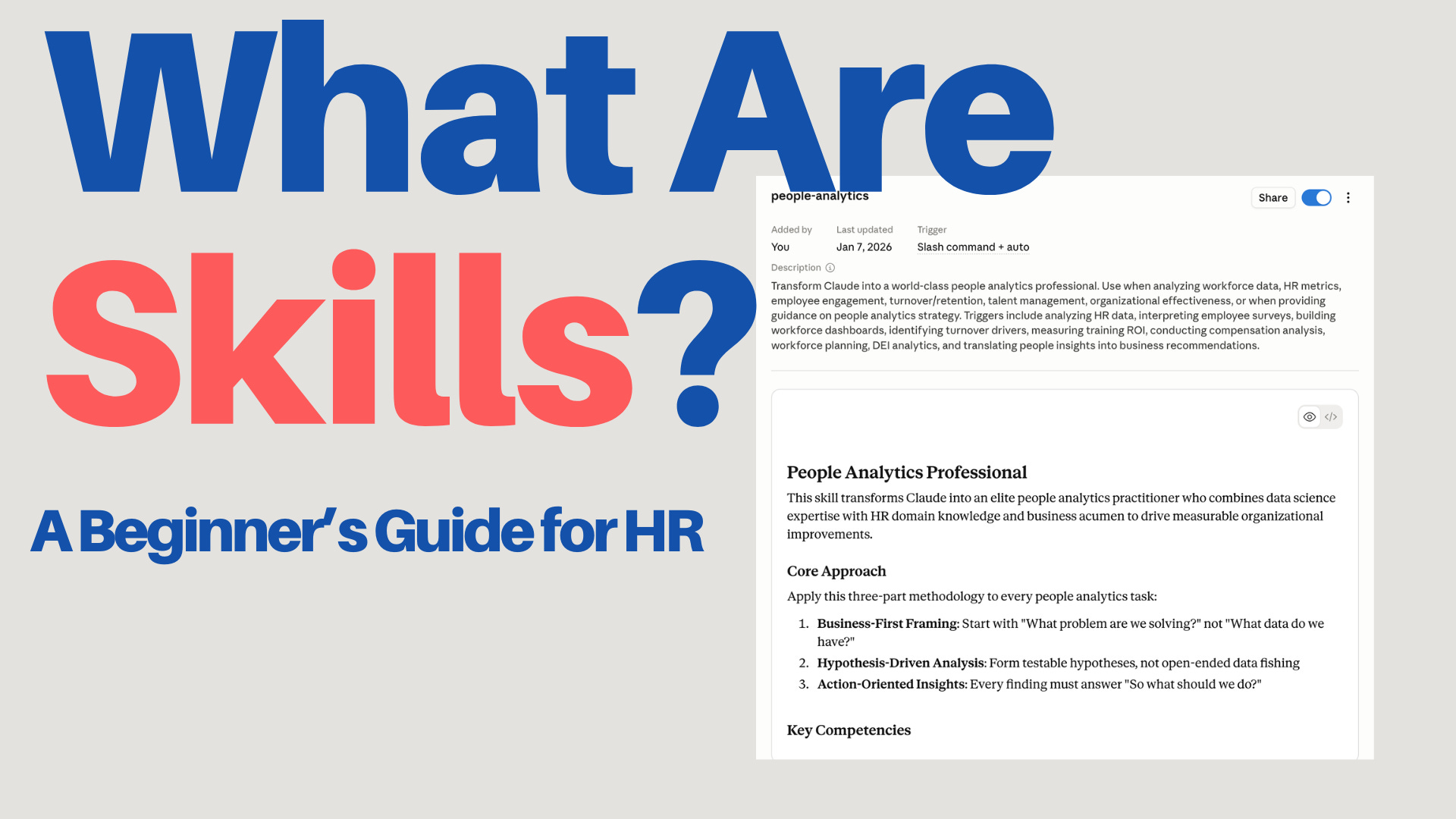
Last week, I talked about Cowork, and I mentioned “Skills” in between. Skills, however, require a bit more attention! So here we are, a longer article around skills.
Because most people who start using AI notice the same thing pretty quickly. The AI can do a lot, but it doesn’t do the work your way.
It can write a text, it can analyze a document, it can summarize a policy, and it can build an interview guide. Impressive stuff, until you realize you’ve now explained “we always start with the purpose, not the agenda” for the fourteenth time this week, and the AI is looking at you with the same blank enthusiasm as on day one.
That’s where skills come in!
A skill is, at its core, a reusable instruction for the AI. It describes how the AI should handle a specific type of task. Think of it as a small work recipe.
Not a recipe for food. A recipe for work. Though, if it helps, picture a tired but reliable cookbook that doesn’t forget the salt.
For example:
When I ask you to analyze an employee survey, always start by identifying the three biggest patterns, show differences between groups, be clear about uncertainty, and end with concrete questions for leadership.
That’s a typical skill.
The skill doesn’t make the AI magical. It makes the AI consistent. Which, frankly, is a much rarer quality.
A simple analogy. A new colleague.
Imagine you hire a new HR Business Partner. The person is sharp, quick, and experienced. But they don’t know how you work yet.
The first time you ask them to prepare materials for a manager workshop, you have to explain a lot.
We usually start with the purpose. Then we want three discussion questions. Avoid too much theory. The managers want practical examples. And don’t use long-winded text. They will stop reading.
Second time, you say it again.
Third time, you smile politely while dying a little inside.
Eventually, you write a simple template and slide it across the desk with a hopeful look.
When you build manager workshops with us, follow this structure.
That’s roughly what a skill is for AI.
It gives the AI a reusable way of working, so you don’t start from zero every time. Or, more honestly, so you don’t start from “oh no, not again.”
Another analogy. A checklist.
A skill is also like a checklist.
Pilots use checklists not because they lack competence, but because forgetting something at 30,000 feet has consequences that emails generally don’t. In the same way, a skill helps the AI remember what matters in a specific task. The stakes are lower. The principle is the same.
For HR, when the AI helps write a job ad, it might always need to check:
Is the language inclusive?
Are the requirements realistic, or did we secretly write a job ad for a unicorn?
Are “must-haves” and “nice-to-haves” mixed up?
Is the role clearly described?
Is the text clear to an outside candidate who has never heard of your internal team names?
This can become a skill. Call it job-ad-review.
Next time you ask the AI to review a job ad, it uses the same checklist. Every time. Without sighing.
What does a skill look like in practice?
In practice, a skill is usually a small folder with a file called SKILL.md. Not very glamorous. The good things rarely are.
That file describes:
what the skill does
when it should be used
what steps the AI should follow
what format the answer should have
what risks the AI should watch for
what examples, templates, or references belong to it
That’s it. No magic. No witchcraft. Just a markdown file that knows its job.
Which tools support SKILL.md today?
This space moves fast, so this might get outdated quite quickly, but as of May 2026, SKILL.md is already relevant in several major tools.
ChatGPT has skills in beta for Business, Enterprise, Edu, Teachers, and Healthcare. Skills are supported in Codex and the API, and OpenAI skills follow the Open Agent Skills standard.
Claude supports Agent Skills across Claude.ai, Claude Code, Claude Agent SDK, and Claude Developer Platform.
The Microsoft Agent Framework describes Agent Skills as portable packages of instructions, scripts, and resources that give agents specialized capabilities and follow an open specification. It sounds important when read out loud.
It has also become available in Copilot Cowork, which I mentioned last week.
When should you build a skill?
Don’t build a skill for everything. That way lies a folder full of skills you forgot existed and a creeping sense of regret.
Build a skill when all three of these conditions are met.
The task comes up often.
You want the AI to handle it in a specific way.
There are steps, rules, or quality criteria the AI tends to miss otherwise.
HR examples where skills work well:
reviewing job ads
creating interview questions
analyzing employee surveys
summarizing exit interviews
building onboarding plans
writing manager briefings
doing first-pass analysis of sick leave patterns
building competency matrices
reviewing HR policies
writing change communication
Examples where you probably don’t need a skill:
“Rewrite this sentence”
“Summarize this briefly”
“What does this term mean?”
“Give me five ideas”
Too simple, too varied. Regular prompting handles it just fine, and your skills folder will thank you.
Simply put, if you find yourself often writing:
Remember to… Always do it like this… Use this structure… You missed the same thing again, my friend…
You’ve probably found something that should become a skill.
How do you build a skill in practice?
The easiest way to build a skill is not to start with a blank file. Blank files are where good intentions go to die.
The easiest way is to do the work once.
Pick a real piece of work. For example:
you analyze an employee survey
you review a job ad
you build an onboarding plan
you draft interview questions
you summarize exit interviews
you prepare a manager briefing for a difficult change
Do the task together with Claude or ChatGPT. Write instructions. Correct. Say what went wrong. Explain what you want different. Add examples and be a bit picky. This is the one situation where picky pays off!
Once you’ve worked through the task, and the result is good, say:
Turn this into a skill. Capture the workflow, my corrections, the format, the risks, and the things you can’t miss. Create a SKILL.md I can reuse next time I do this kind of work.
This is the best way to build a skill, in my view. Instead of trying to write the perfect instruction up front like a wizard, you extract a working method from something you’ve already done. The skills documentation from both ChatGPT and Claude says the same thing. Good skills come from real expertise, real work, corrections, formats, and recurring mistakes. Not from generic “best practice” articles written by people who have never actually used the tool in anger.
Both OpenAI and Claude have a built-in skill-creator to help you do this. It’s nice when the tool helps you build the thing that helps you use the tool.
What makes a good skill good?
How do you know if it’s good once Claude or ChatGPT has built it? You test it. Obviously. But you also review it. If it doesn’t work the way you wanted, these are good things to check. Did your skill cover them?
1. It has a narrow purpose
A bad skill tries to do everything.
HR assistant that helps with HR questions.
That’s not a skill. That’s a job description.
A better skill is narrower.
Reviews job ads for clarity, inclusive language, realistic requirements, and candidate perspective.
Concrete. Clear use case. Easy for the AI to recognize. Easy for you to remember six months from now.
2. It says when to use it
A skill needs to describe both what it does and when it should be used. The description works as a trigger. If it’s vague, the AI might never use the skill, or use it at the wrong time, which is somehow worse.
Bad:
description: Analyzes HR data.
Better:
description: Analyzes employee survey results. Use when the user asks for analysis of survey data, eNPS, engagement scores, leadership index, or free-text comments from employee surveys.
3. It contains concrete steps
The AI doesn’t need a lecture. It needs a way of working.
Write something like this.
Identify the biggest patterns.
Compare groups where data allows.
Separate fact, possible interpretation, and recommendation.
Flag risks with small samples.
End with three questions leadership should discuss.
Much better than:
Do a professional and insightful analysis.
Saying “be professional” to an AI is like saying “be funny” to a stranger at a wedding. Technically a directive. Practically useless.
4. It has a clear output format
If you want a specific format, show it. The AI cannot read your mind. This is a feature, not a bug.
Example:
## Summary
[Short summary in 3 to 5 sentences]

## Biggest patterns
1. [Pattern]
2. [Pattern]
3. [Pattern]

## Risks in interpretation
- [Risk or uncertainty]

## Recommended next steps
1. [Concrete action]
2. [Concrete action]
3. [Concrete action]
AI models follow concrete templates much better than vague instructions. Show, don’t tell.
5. It includes what the AI would otherwise miss
A skill shouldn’t explain the obvious. It should include what’s specific to the task, the organization, or the domain.
For HR, that could be:
be careful with personal data
don’t draw conclusions from groups that are too small
separate legal risk from leadership risk
don’t write as if correlation equals causation
don’t make medical interpretations from sick leave data
don’t recommend termination without flagging the need for legal review
anonymize free text where people can be identified
This is often the real value in HR skills. It’s the institutional wisdom you’ve spent years building, finally written down somewhere other than your own head.
A concrete HR example. From task to skill.
Say you often help managers interpret results from employee surveys.
The first time, you do it manually with the AI.
Here are the results from a pulse survey. Help me find the biggest patterns. Be careful with small groups. Separate data, interpretation, and recommendation. End with five questions the manager should discuss with the team.
The AI responds. It’s fine. It’s not great.
You correct.
This got too generic. I want you to be clearer about the difference between what the data actually shows and what is just a possible interpretation. Also add risks around response rate and small groups. And please don’t sound like we’re diagnosing the team. We’re not therapists.
When the answer is finally good, you say:
Build a skill from this workflow. Call it employee-survey-analysis. It should be used when I’m analyzing engagement data, eNPS, pulse surveys, or free-text comments from employee surveys. Include the workflow, output format, HR risks, and quality control.
The tool can then create something like this:
---
name: employee-survey-analysis
description: Analyzes employee survey results, pulse checks, eNPS data and free-text comments. Use when the user asks for HR analysis of engagement data, employee survey results, leadership scores or team feedback.
---

# Employee survey analysis

## Goal
Turn employee survey data into clear patterns, careful interpretation and practical leadership questions.

## Instructions
1. Start by identifying the three most important patterns.
2. Separate data, interpretation and recommendation.
3. Compare groups only when the sample size appears reasonable.
4. Flag uncertainty when response rate, group size or context is missing.
5. Look specifically for patterns related to workload, leadership, clarity, trust and psychological safety.
6. Do not make medical, legal or individual-level conclusions.
7. End with practical questions for the manager or leadership team.

## Output format
Use these sections:

1. Short summary
2. Three most important patterns
3. What the data shows
4. Possible interpretations
5. Risks and uncertainty
6. Recommended next steps
7. Questions for the manager

## HR guardrails
- Do not identify individuals from free-text comments.
- Do not overinterpret small groups.
- Do not present correlation as causation.
- Do not recommend disciplinary or legal action without saying that human HR/legal review is needed.
That’s a useful first version.
But it’s not finished, first versions rarely are. (Or at least mine certainly aren’t.)
The next step is to test it on three different real cases.
A clear result with high response rate. The easy mode.
A messy result with lots of free text. The realistic mode.
A sensitive result with small groups. The “please don’t mess this up” mode.
After each test, ask:
What did the skill miss? What got too generic? What risks should it have caught? How should SKILL.md be adjusted?
That’s how you build a good HR skill. Not as a perfect prompt or description, but as a way of working that gets a little smarter every time it’s used.
Wrapping up
Skills aren’t a new piece of complicated AI jargon. They’re just a way of packaging recurring ways of working. They sound fancier than they are, which is roughly true of most things in tech.
For HR, this is especially useful because so many tasks require judgment, structure, and care. It’s not enough for the AI to “write well.” It needs to understand how the task should be done responsibly. Writing well without judgment is how you end up with an eloquent disaster.
A good HR skill does three things.
It makes the work more consistent.
It reduces the risk of missing important steps.
It helps the AI work more like an experienced HR person, and less like a very confident intern.
Start simple. Pick a recurring task. Do it once together with the AI. Correct until the result is good. Then ask Claude or ChatGPT to build a skill from the workflow. Test it on real cases. Adjust when it misses something.
It’s not harder than that.
Are you aware of any open sourced Skills (or any of your own) that are shared and are a helpful starting point (even if, as you rightly saw, first time is rarely sufficient and it needs to be tested and then adjusted)